Features
WorkClocking brings together employees, shifts, terminals, holidays, approvals and payroll-ready exports in one place.
Employees
Add staff, manage personal details, assign roles, and keep everything in one secure place.
Shifts
Build repeating patterns, handle nights and split shifts, and apply custom grace and rounding rules.
Clock-ins
IN/OUT location based clock ins, terminal mapping, and clean exports for payroll.
Terminals
NFC and QR terminals (device dependant), monitor activity, and see which staff have clocked in and where.
Absences & Holidays
Track sickness, assign leave types, manage holiday balances, and approve requests with one click.
Policies & Rules
Configure lateness, overtime, rounding, midnight rules, and custom shift behaviours for your workforce.
Documents
Share policies, contracts and certificates securely, with version history and revision control.
Announcements
Share updates with your teams. Employees see clear, actionable messages in their dashboard.
Departments & Locations
Organise your workforce across locations and departments with flexible reporting and access control.
Fire Roll Call
Generate up-to-date roll call lists from live clock-ins so you know who is on site in an emergency.
Attendance & Bradford
See Bradford scores and attendance trends so managers can spot patterns early and act fairly.
Overtime
Define overtime rules, approve additional hours, and keep everything tied back to shifts and payroll.
Payroll Exports
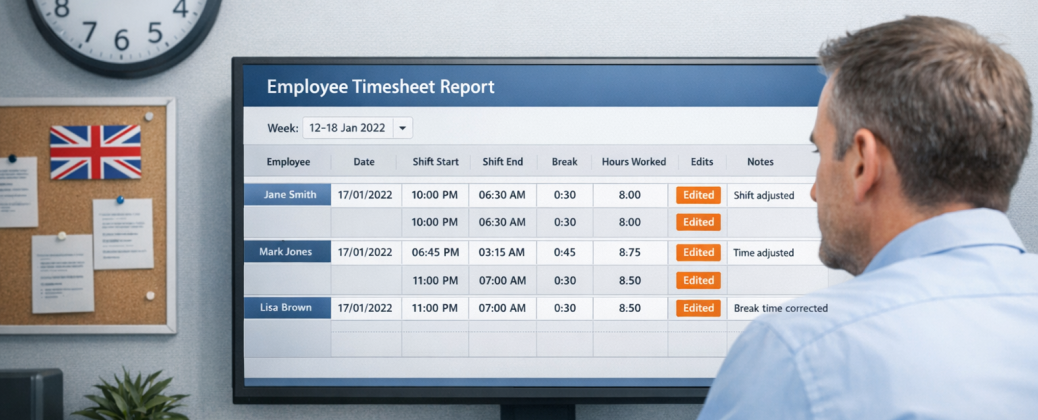
Get accurate totals per employee including hours, leave, overtime and anomalies - ready for payroll.
Self-Service “My File”
Let employees update their own details, see holidays and documents, and reduce admin back-and-forth.
Roles & Permissions
Fine-tune what each role can see and do, with overrides for managers and trusted users.
Security & 2FA
Protect access with role-based controls and optional two-factor authentication for sensitive accounts.
Email Preferences
Let users choose which alerts and digests they receive so notifications stay helpful, not noisy.
Help & Support
In-app help, guidance and support so new managers and employees can get up to speed quickly.